Guide for campsite owners
CampoAI gives your campsite an online booking page, a map of your pitches and a simple dashboard for arrivals and departures — completely free. No subscription, no commission on bookings, no credit card.
Before you start
Setup takes about 20 minutes. Then guests can open your page, pick a pitch on the map, choose dates and book. You get an email (and optionally a Telegram message) for every booking.
- An email address and a password
- Your campsite’s name and address
- Your pitch prices per night
- Optional: a Stripe account if you want online payments. Without it guests book online and pay on arrival.
How payments work. CampoAI never touches your money. With Stripe, payments go straight to your Stripe account. Without it, bookings are confirmed immediately and guests pay at reception.
1. Create your account
Go to camping.campoai.tech, click Inizia gratis (Start for free), fill in the form and click Crea il tuo account.
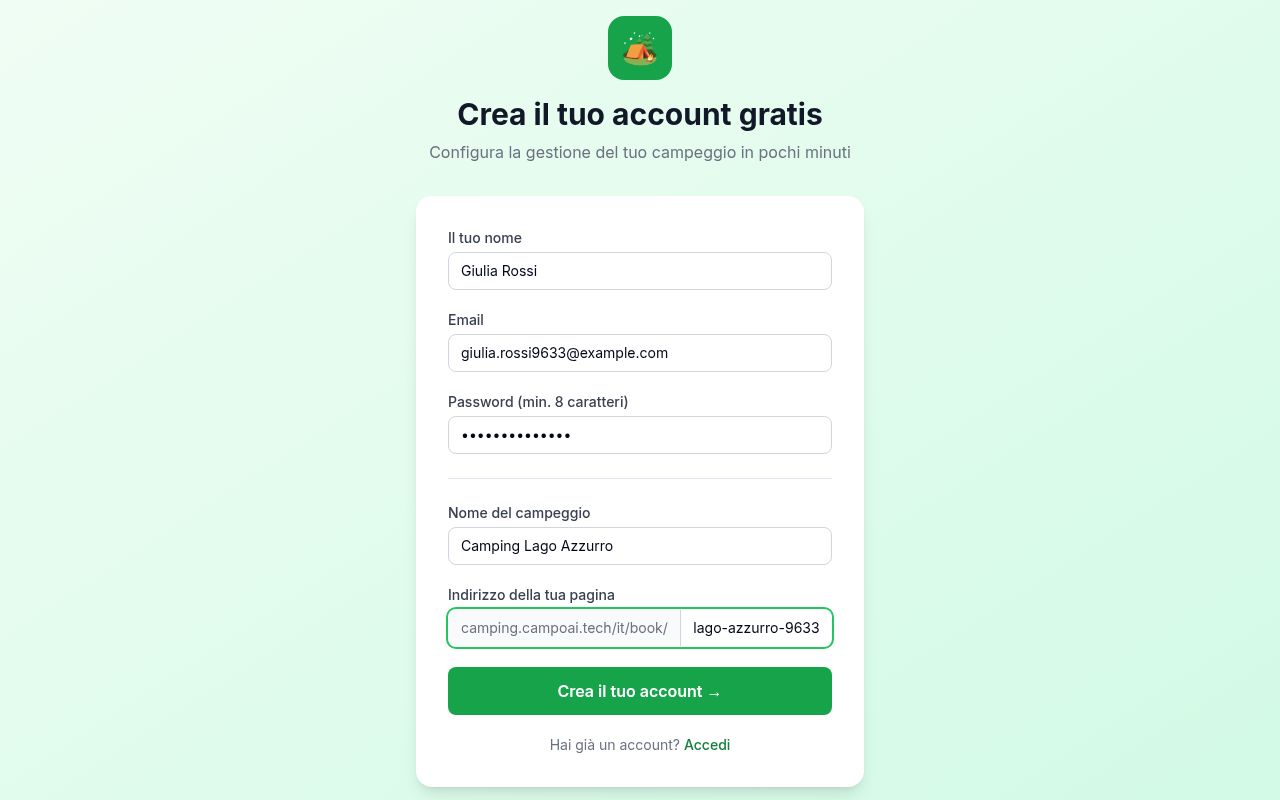
- Il tuo nome — your name.
- Email and Password — for logging in (at least 8 characters).
- Nome del campeggio — your campsite’s name.
- Indirizzo della tua pagina — your booking page address. It cannot be changed later, so keep it simple, e.g.
camping-lago-azzurro.
You are logged in automatically and the five-step setup wizard opens.
2. Choose how guests pay
Optional. Click Salta per ora (Skip for now) and guests book online and pay you on arrival.
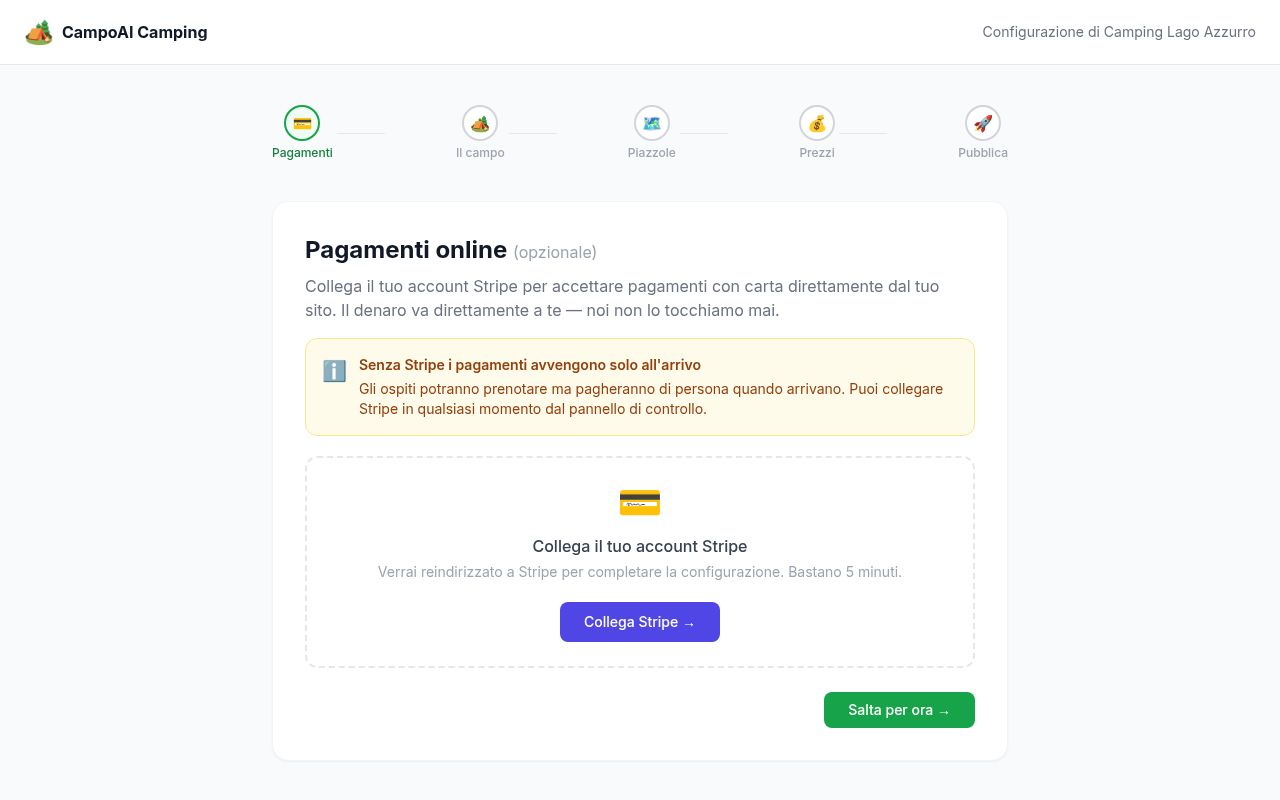
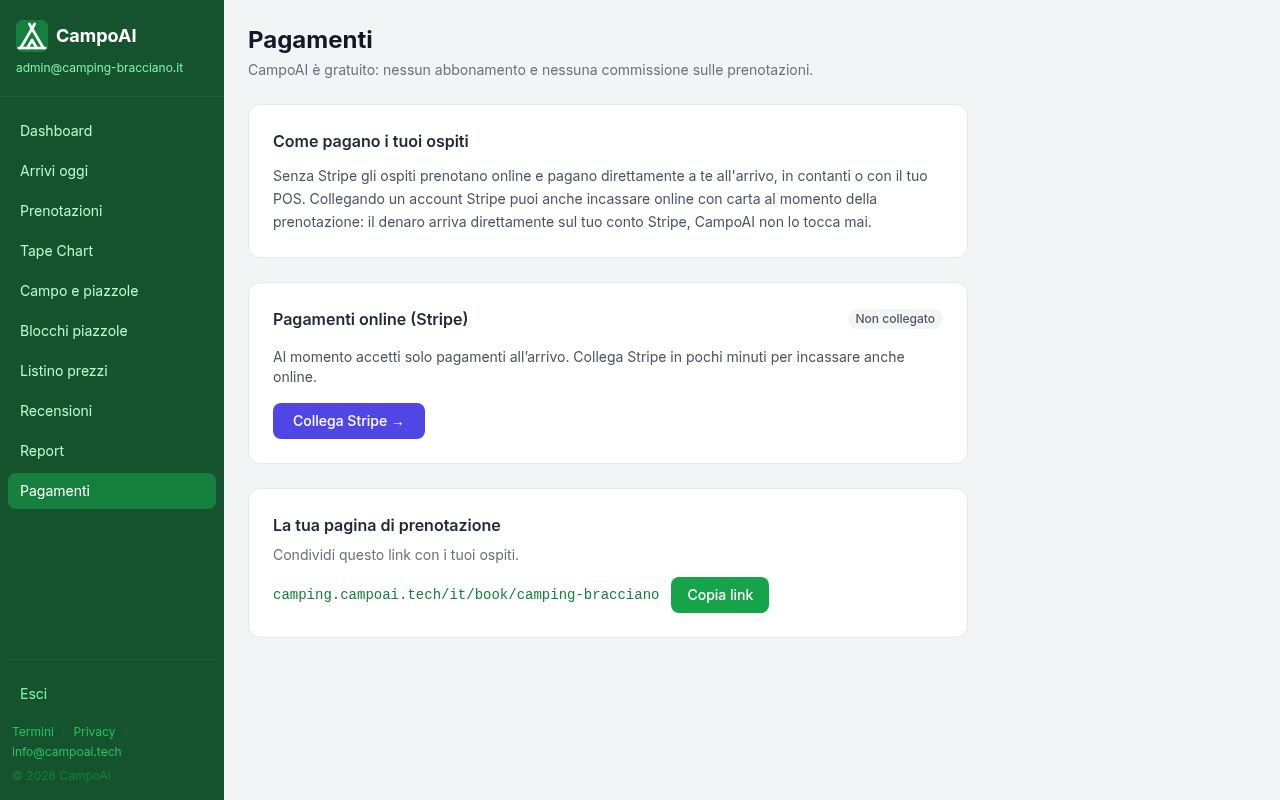
For card payments at booking time click Collega Stripe (Connect Stripe) — about 10 minutes. You can also do it later under Pagamenti in the menu.
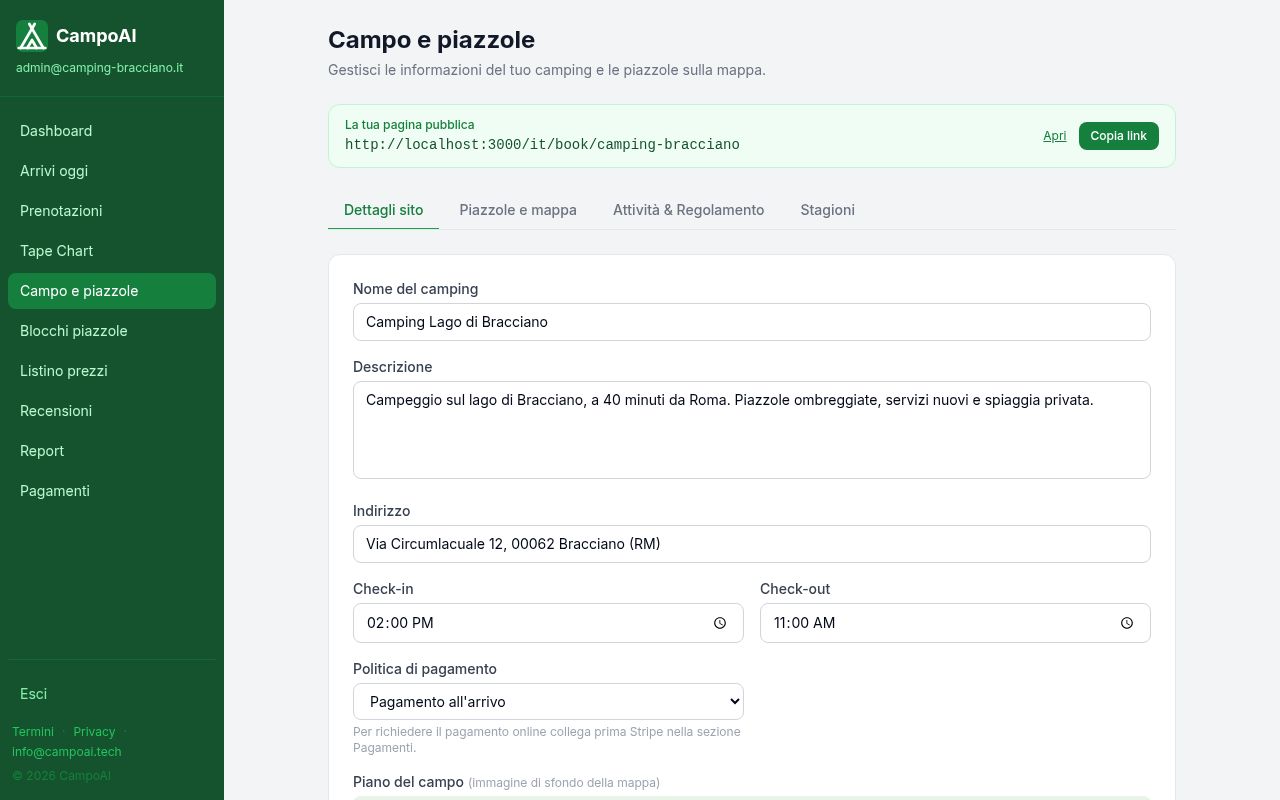
3. Describe your campsite
This is what guests read on your page. Everything can be changed later.
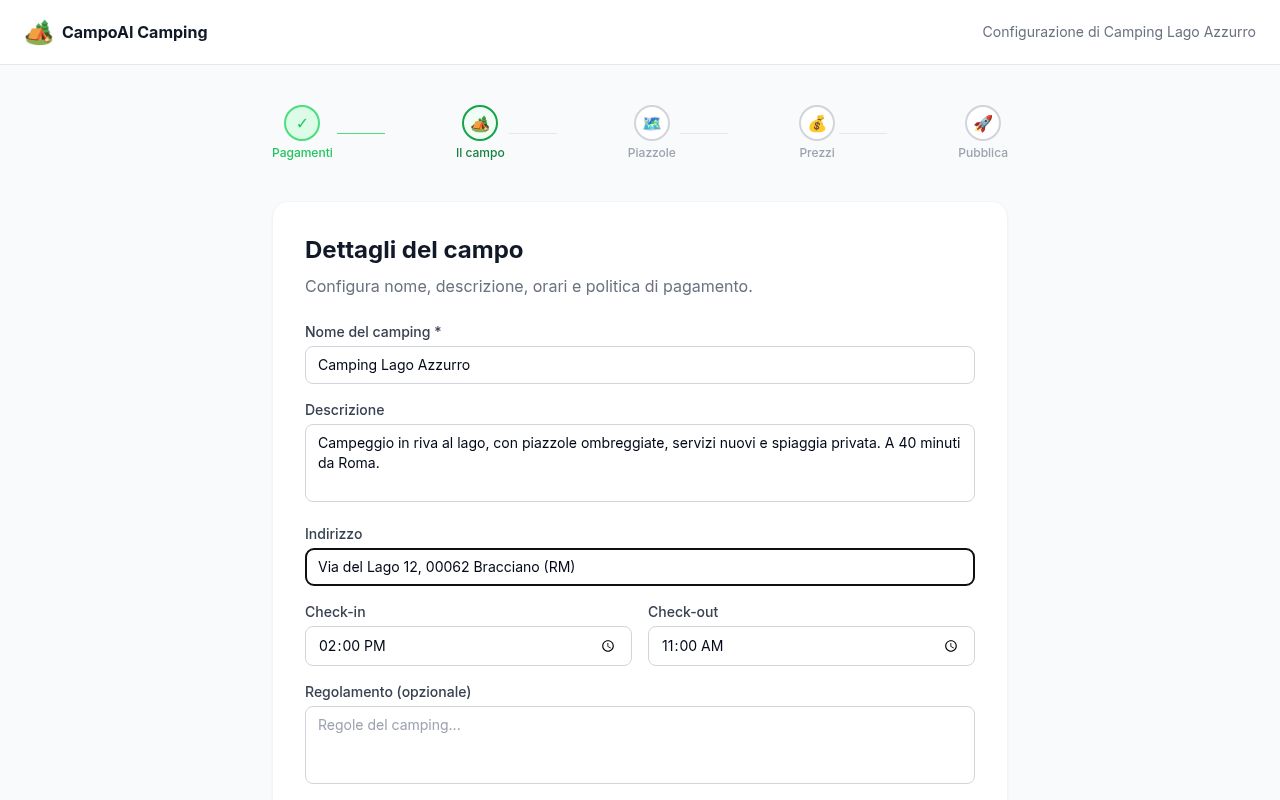
- Descrizione — two or three sentences about your campsite.
- Indirizzo, Check-in / Check-out times and Regolamento (house rules).
- Politica di pagamento — keep Pagamento all’arrivo (pay on arrival) until Stripe is connected.
- Foto del camping — 3–6 good photos make a big difference.
Click Salva e continua (Save and continue). Later, edit everything under Campo e piazzole, including Stagioni (opening seasons: guests only book when you are open).
4. Draw your pitches on the map
Guests choose their pitch on a satellite map, so draw each pitch once. You need at least one pitch to publish. A computer with a mouse is easiest.
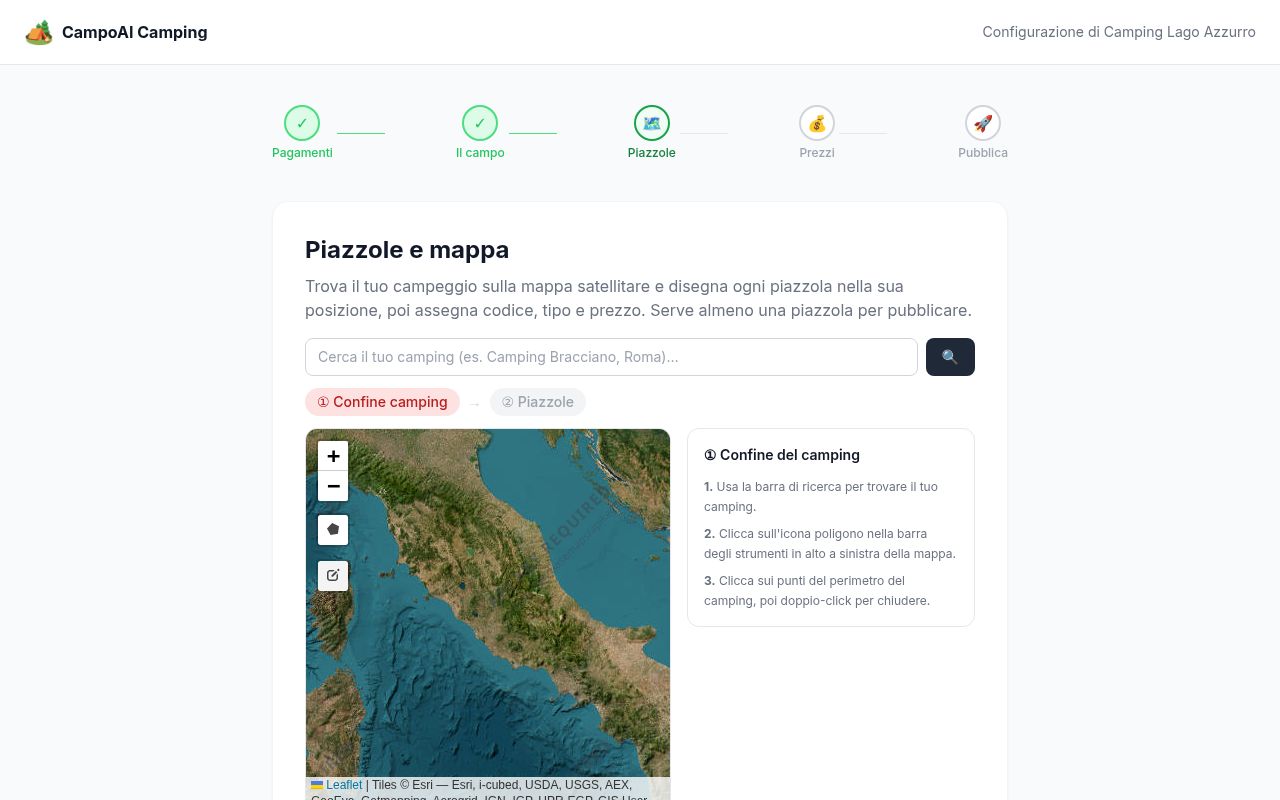
The campsite boundary
- Search for your campsite or town and zoom in.
- Click the polygon icon on the left of the map.
- Click around the edge, then double-click to close.
- Click Conferma confine (Confirm boundary).
Each pitch
- Choose rectangle (or polygon for angled pitches) and draw it.
- Fill in Codice (e.g. A01), Tipo, Prezzo base (€/notte) and services.
- Click Salva. Repeat for every pitch.
5. Seasonal prices
Every pitch already has its base price; add rules only if prices change by season. Open Listino prezzi and click + Nuova regola.
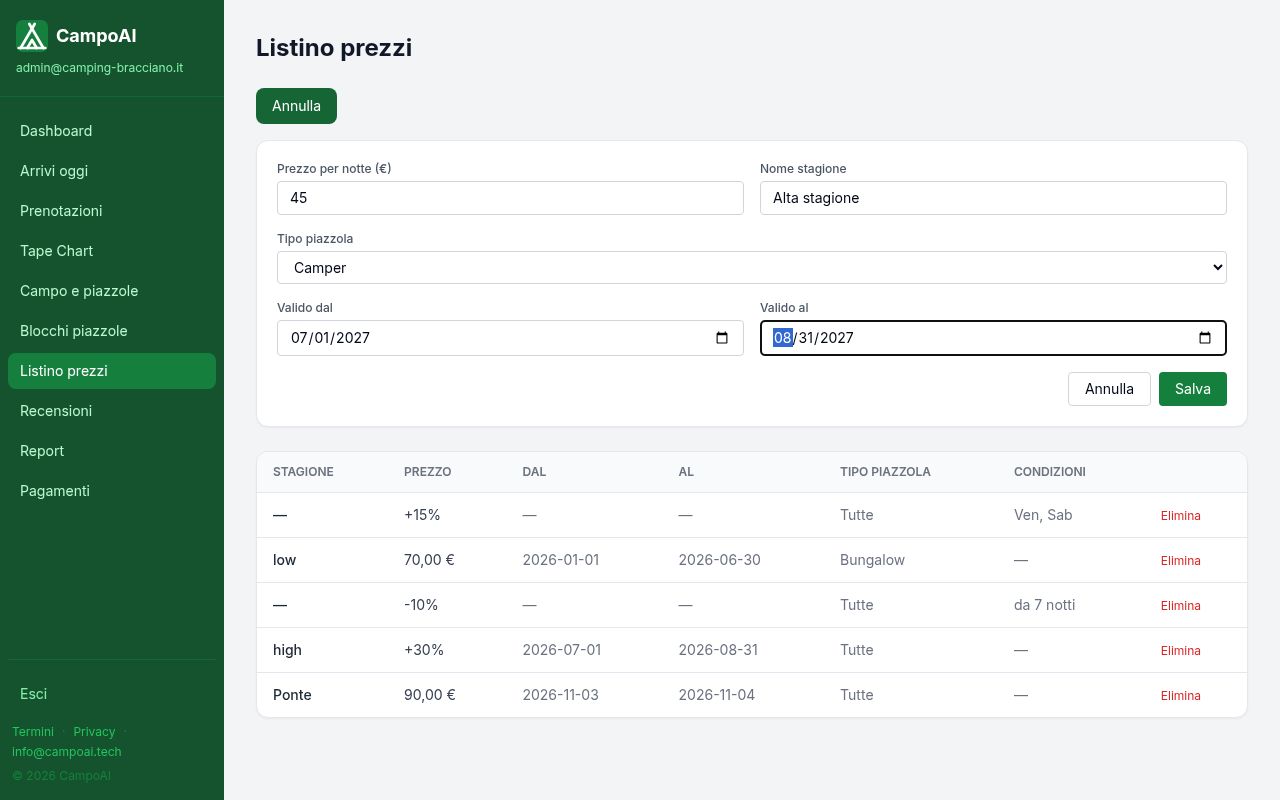
- Prezzo per notte (€) and Nome stagione (e.g. High season).
- Tipo piazzola — all pitches or one type.
- Valido dal / Valido al — first and last night.
- Click Salva.
Prices are calculated night by night and guests always see the total before booking.
6. Publish and share your link
When details and pitches show a green tick, click Pubblica la mia pagina — you are online immediately.
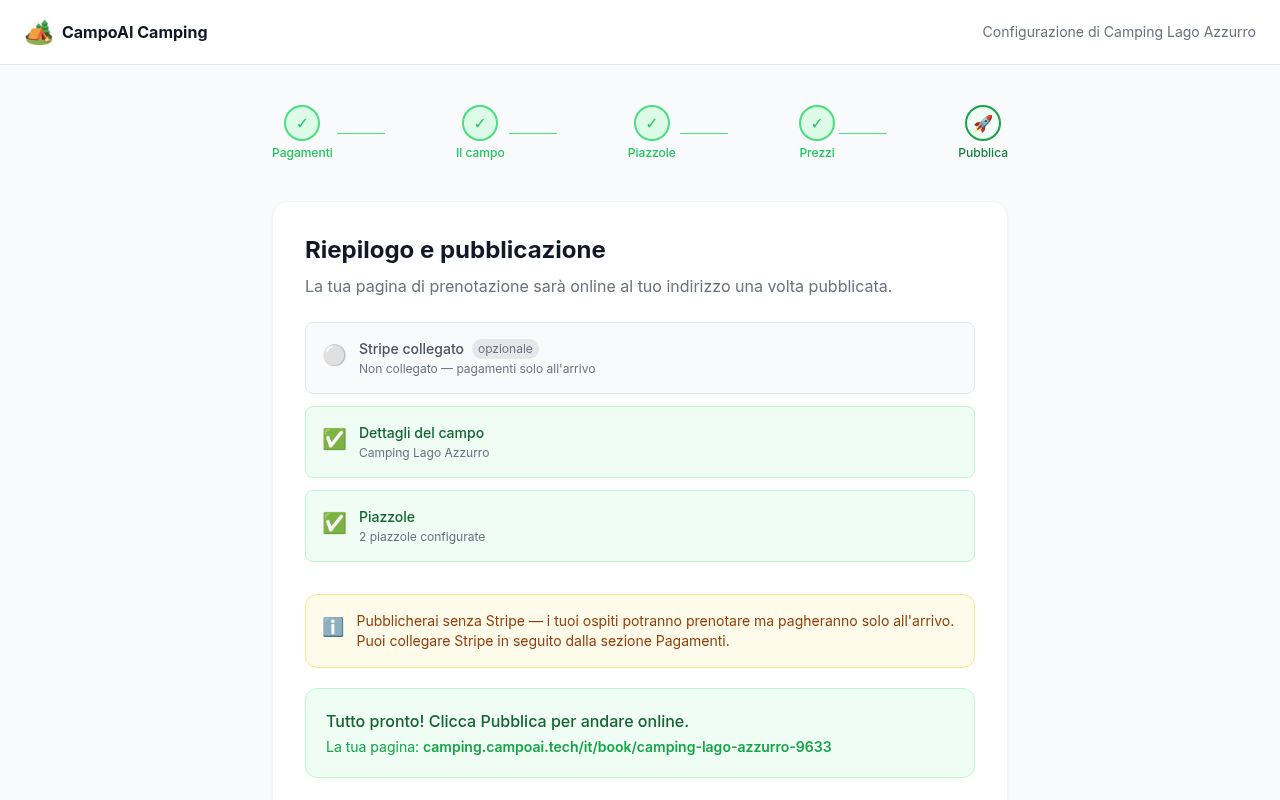
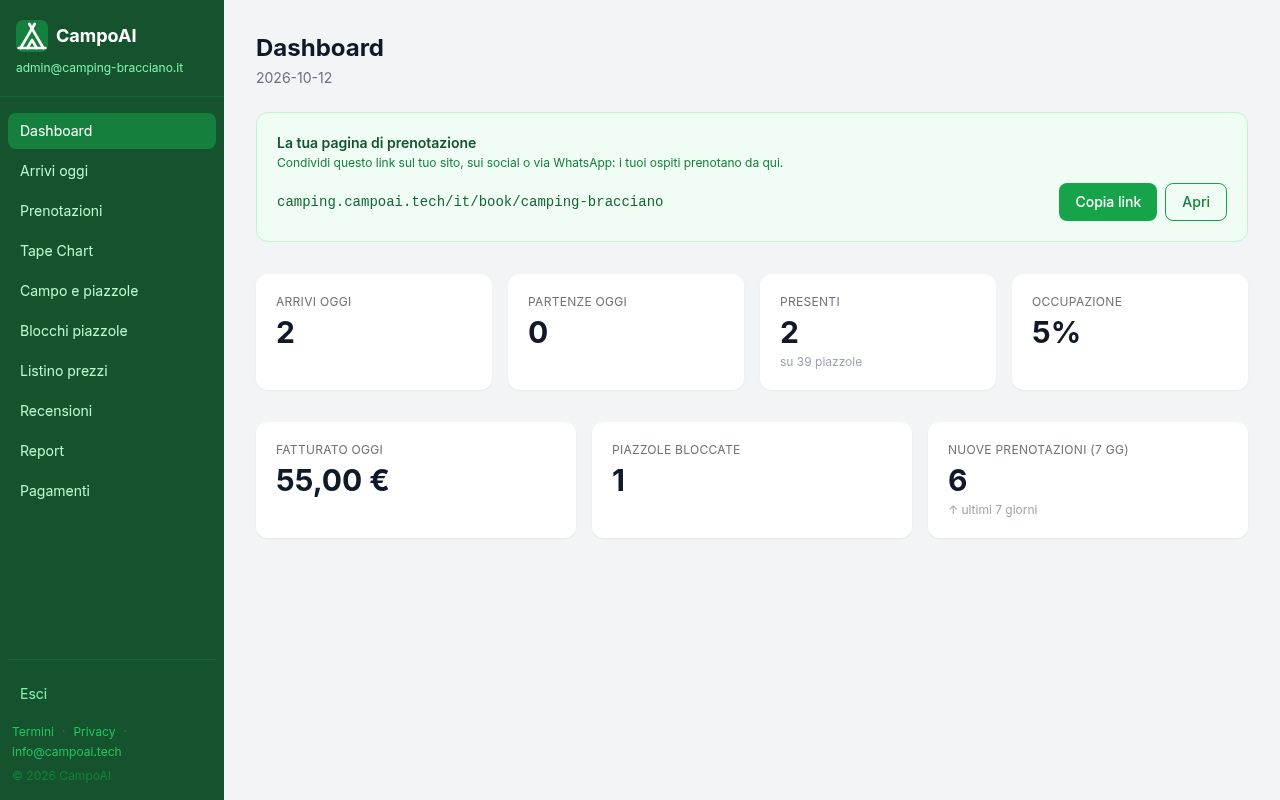
Your link is at the top of the Dashboard with a Copia link button. Put it on your website, Google Business profile, Facebook, Instagram, WhatsApp replies and email signature.
Everyday use
When a guest books
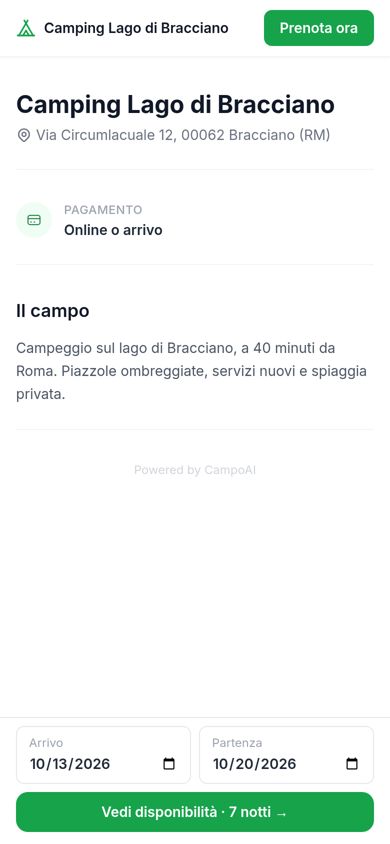
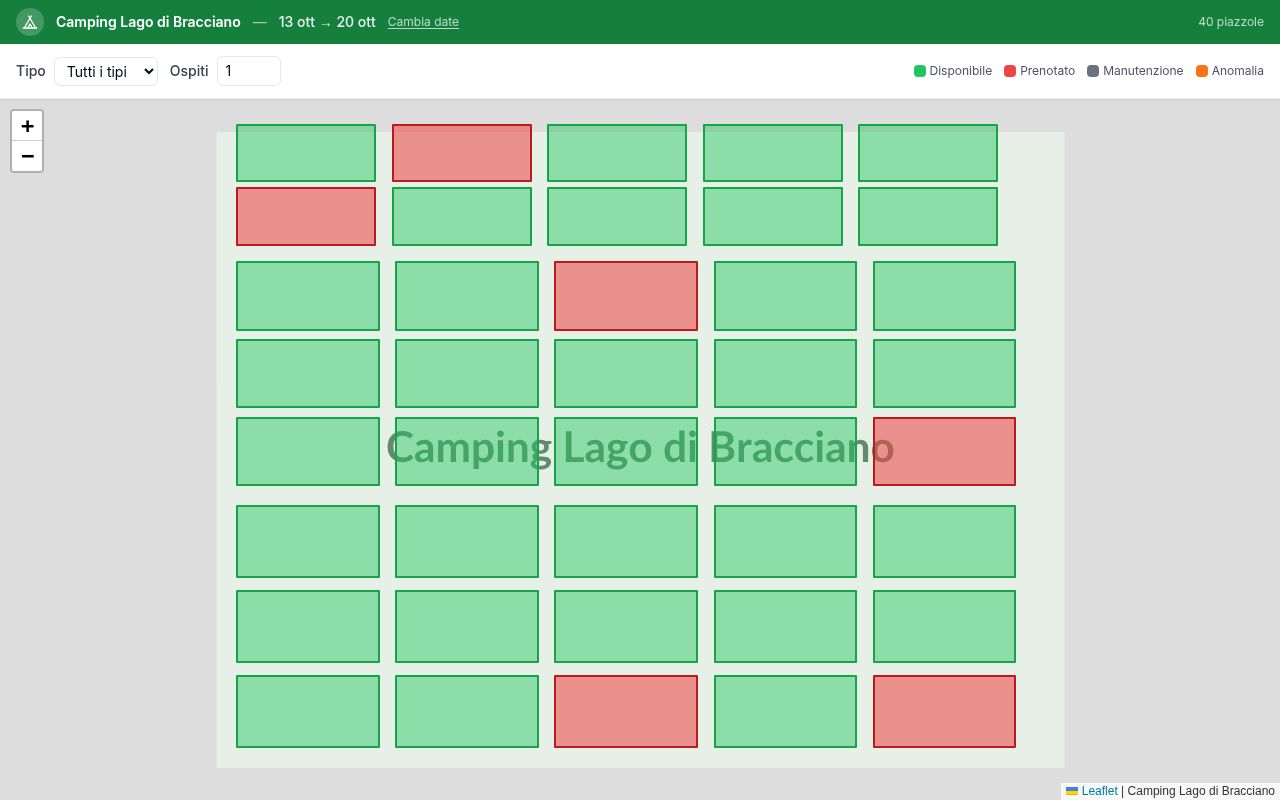
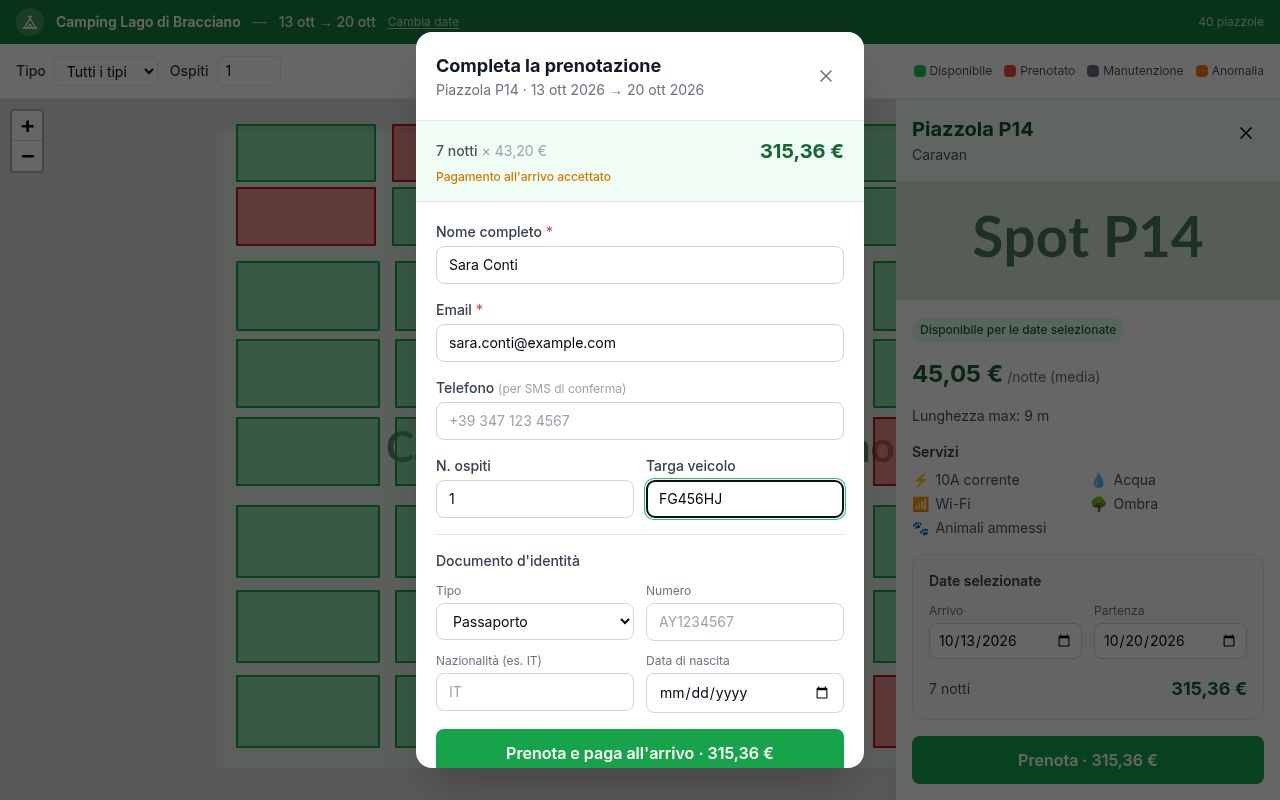
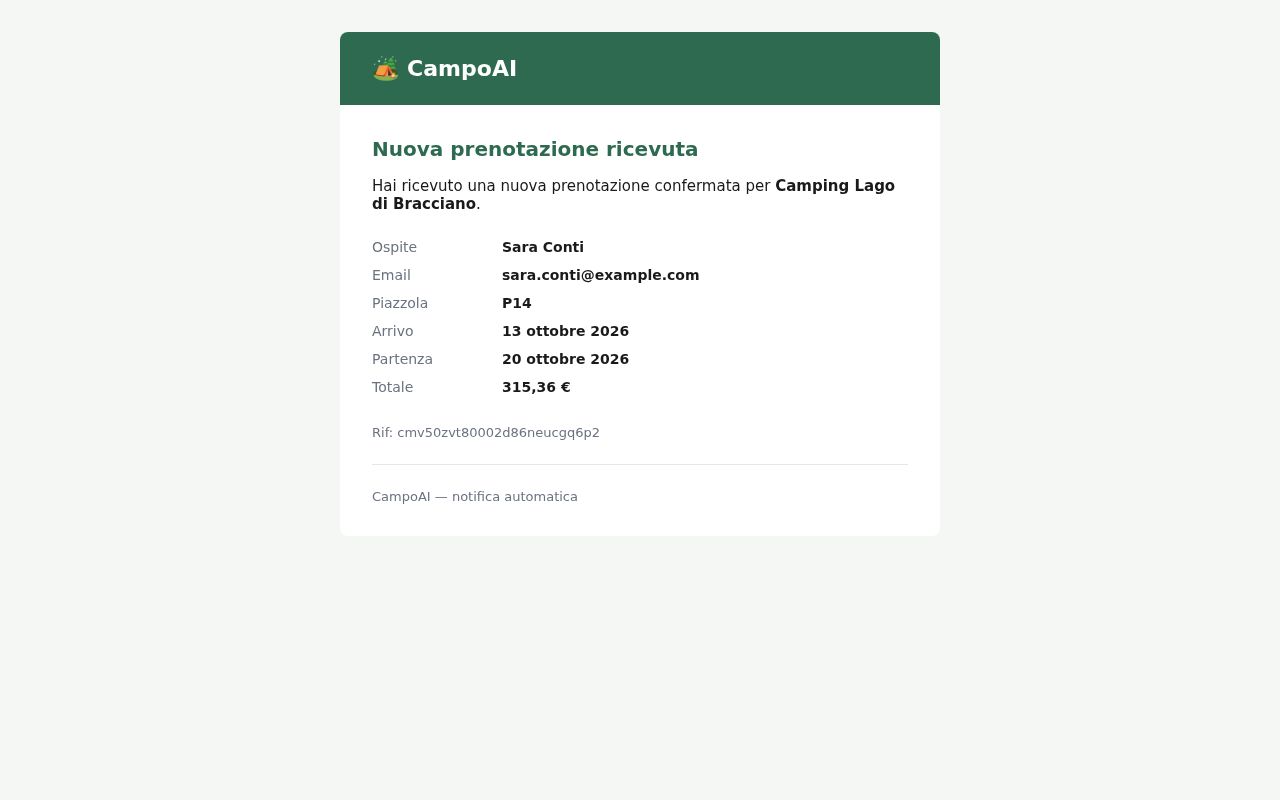
The guest picks dates and a free (green) pitch, fills in their details and sees the total. The booking is confirmed immediately; the guest gets an email with a cancel link and you get an email with the details.
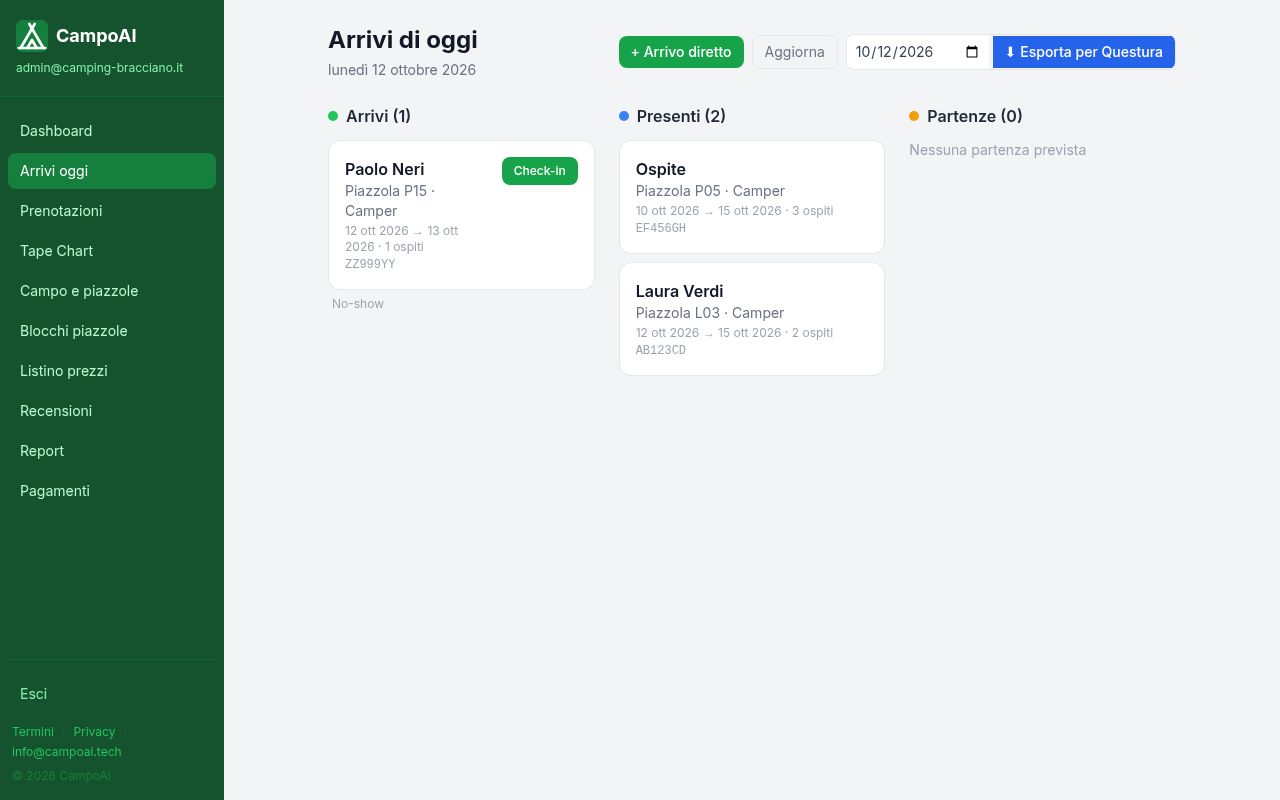
Arrivals today (Arrivi oggi)
Your reception screen: today’s Arrivi, Presenti and Partenze. Click Check-in and Check-out; checkout sends a receipt and a review request. + Arrivo diretto adds walk-in guests (no double bookings). Esporta per Questura downloads arrivals with ID details (CSV) for the police registration.
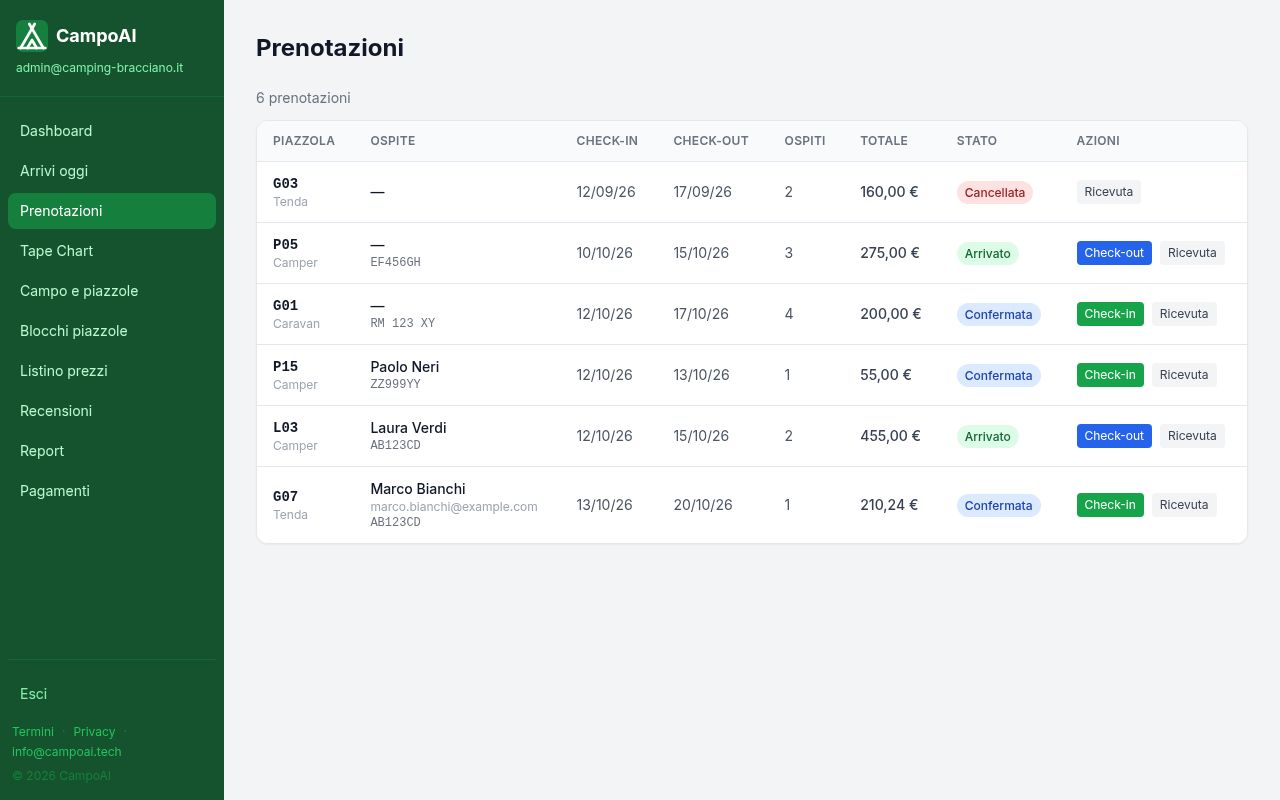
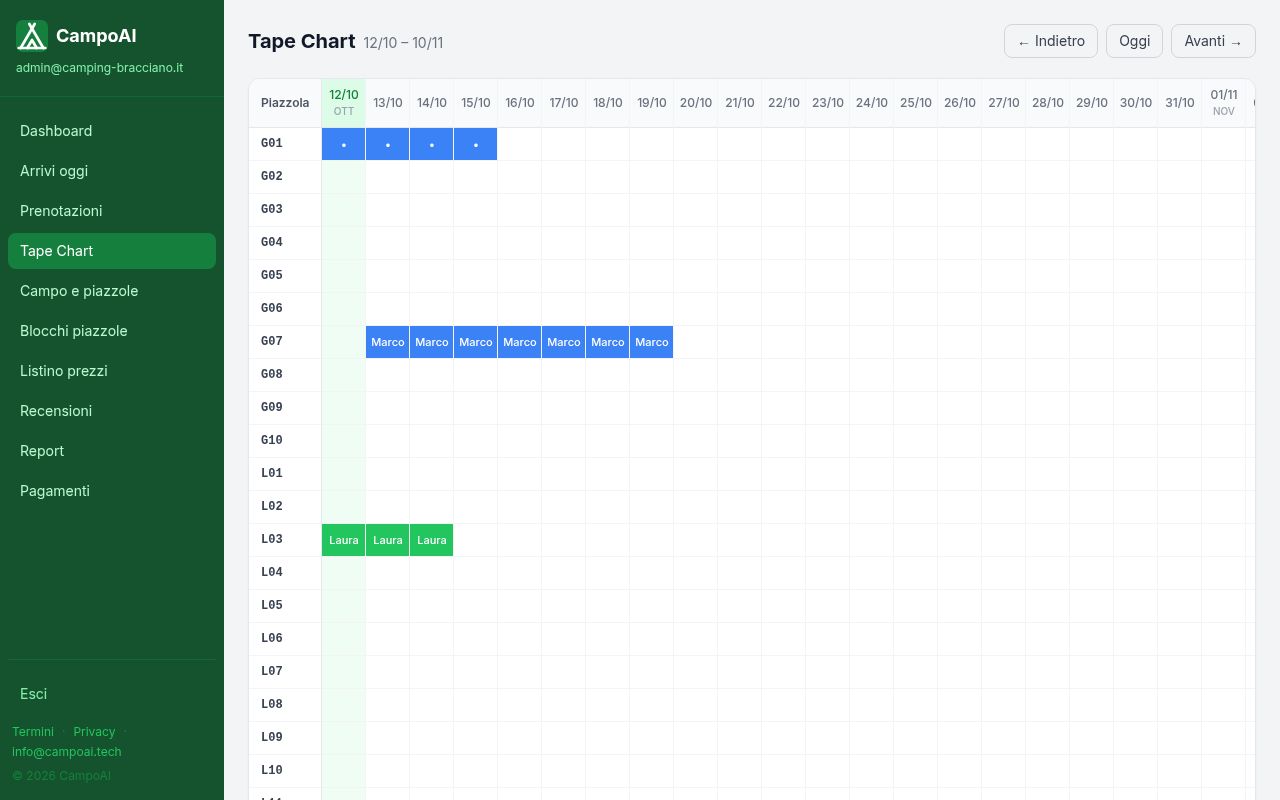
Bookings and Tape Chart
Prenotazioni lists everything: check in/out, cancel (Cancella) or print a Ricevuta. Tape Chart shows every pitch over the coming days.
Closing a pitch
In Blocchi piazzole choose a pitch and dates (maintenance, events); guests can’t book it then.
Booking.com and Airbnb
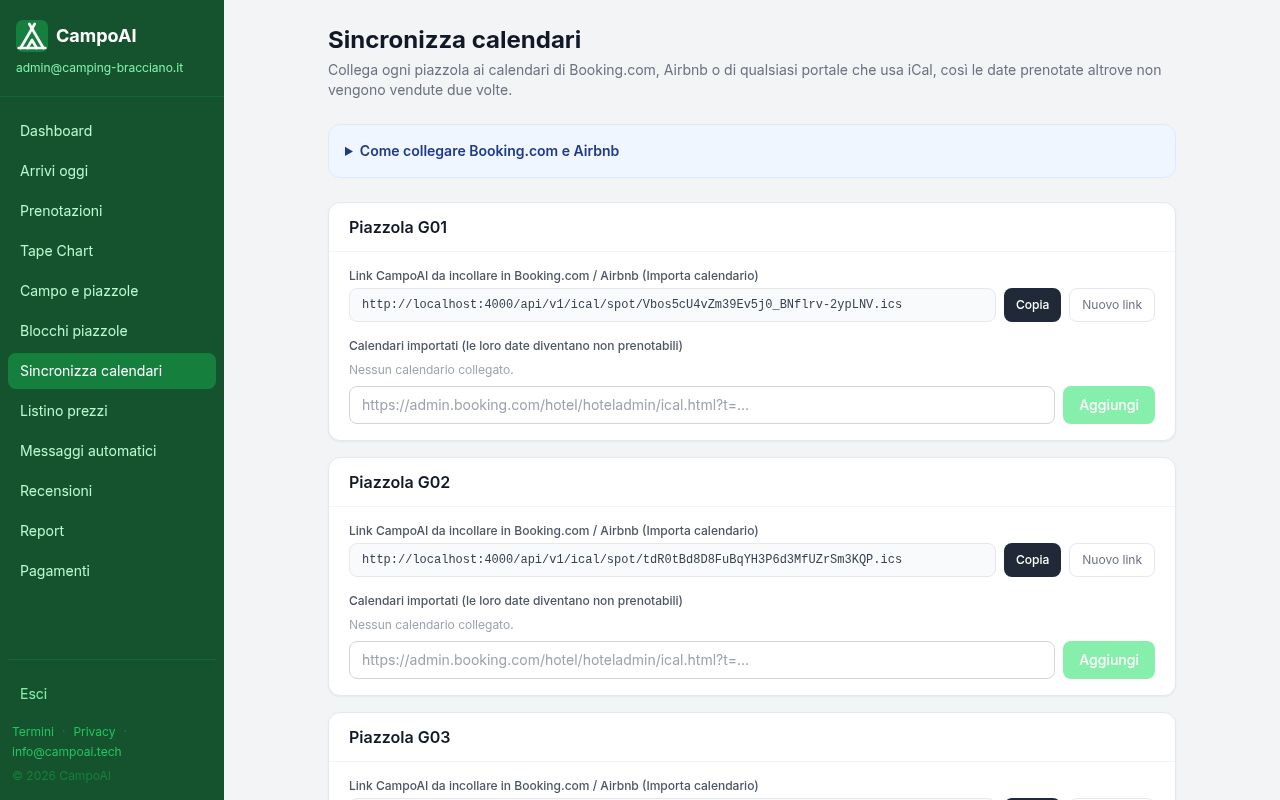
In Sincronizza calendari each pitch has a Link CampoAI to paste into the portal’s Import calendar, and a field for the portal’s iCal link. Dates sync every 30 minutes, so no pitch is sold twice.
Automatic messages
Emails that go out by themselves, e.g. directions 48 hours before arrival. Use placeholders like {{guestName}} or {{checkInDate}}.
Reviews, reports and Telegram
In Recensioni choose which reviews to show. Report shows occupancy and revenue for the last 30 days. For Telegram alerts, send /start to @CampoAI_bot and paste the Chat ID in Campo e piazzole.
Guests from abroad
Your booking page is in Italian, English and German (IT · EN · DE buttons). For a link that opens in English or German, replace /it/ with /en/ or /de/.
Questions
Is it really free? Yes. No subscription, no commission.
Do I need Stripe? No. Without Stripe guests pay at reception.
A guest wants to cancel. They use the link in their email, or you click Cancella in Prenotazioni.
I forgot my password. On the login page click Hai dimenticato la password?.
Can my staff log in? Email us and we’ll add a staff account.
Need help? Email info@campoai.tech and tell us your campsite’s name.